Module · PrestaShop 1.7.8 to 9.2

Prime OPC: one page checkout for PrestaShop

Prime OPC is a one-page checkout module for PrestaShop 1.7.8 to 9.2 that puts the customer’s details, delivery and payment on a single page, so an order takes one screen instead of the standard four checkout steps.

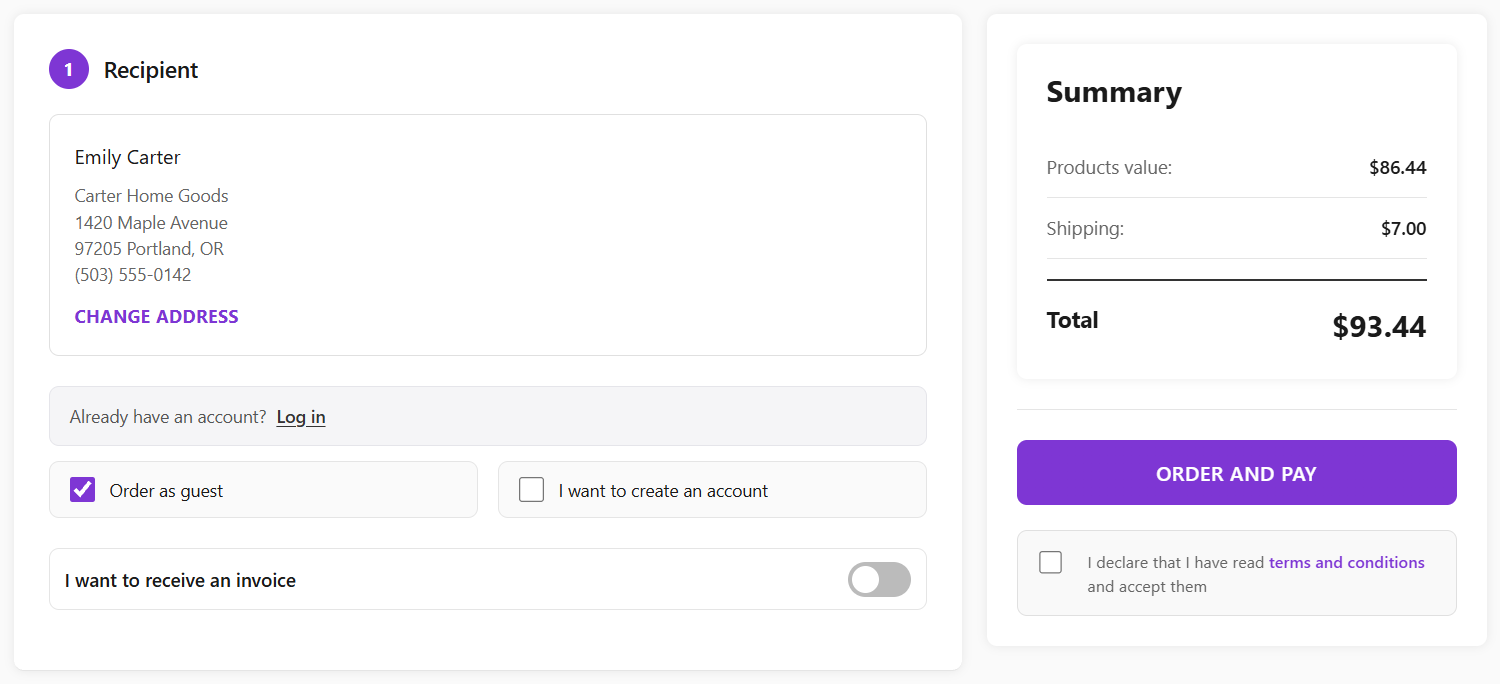
Prime OPC checkout: recipient details with guest or account choice on the left, order summary and Order and pay button on the right
Version
1.3.5
PrestaShop
1.7.8 to 9.2
Updated
October 2026
Sold on
PrestaShop Addons

The problem with the standard checkout

The default PrestaShop checkout walks the customer through four steps: personal information, addresses, shipping method and payment. Each step is a click, a wait and another chance to leave, and on a phone the customer rarely sees the total and the delivery options together.

Prime OPC keeps PrestaShop’s own logic, carriers and payment modules, and puts everything the customer needs on one page. The order summary and the Order and pay button stay in view the whole time.

What Prime OPC does

01

Delivery and payment side by side

Carriers and payment methods sit on the same page as the customer’s details. Choosing a carrier updates the shipping cost and the total immediately, without leaving the page.

Payment methods come from the modules you already have installed, each with its own description.
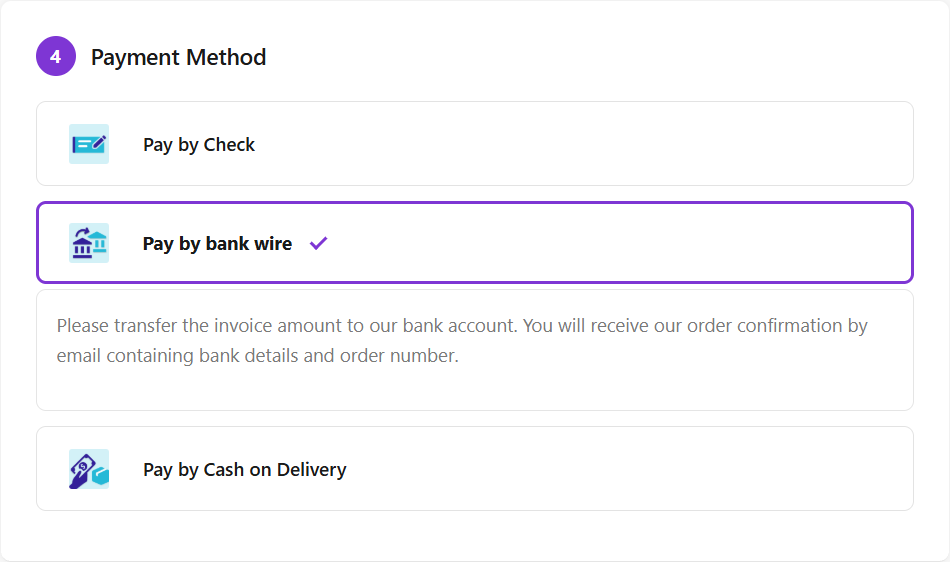
Prime OPC payment step with three payment methods, bank wire selected and its instructions shown
02

Guest checkout first

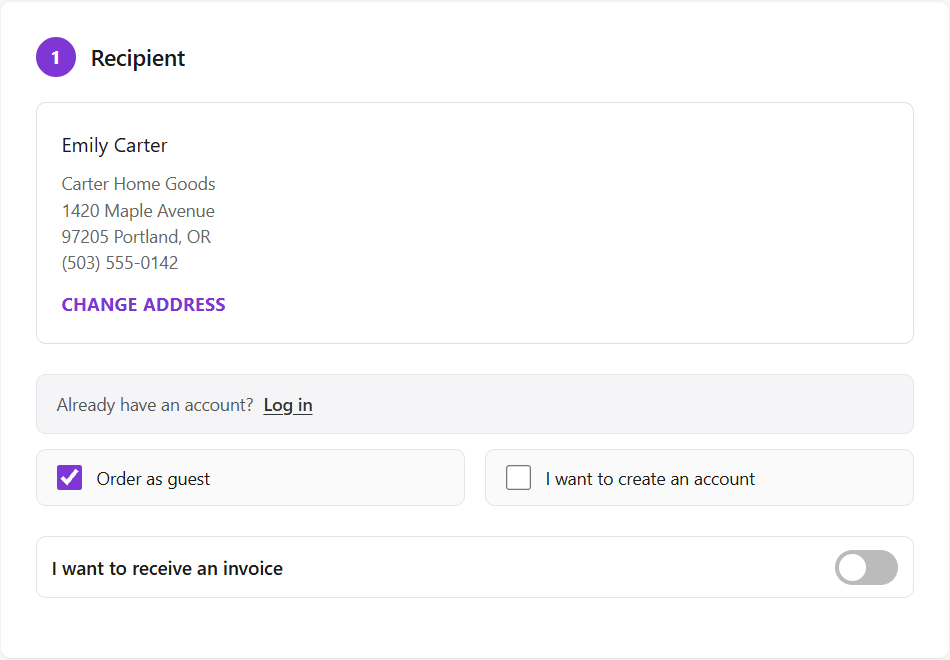
Ordering as a guest is the default. Customers who want an account tick I want to create an account and set a password; nobody is forced to register.

Returning customers log in from the same step and see their saved addresses.

Prime OPC recipient step with saved address, Order as guest selected and the option to create an account
03

Invoices for business customers

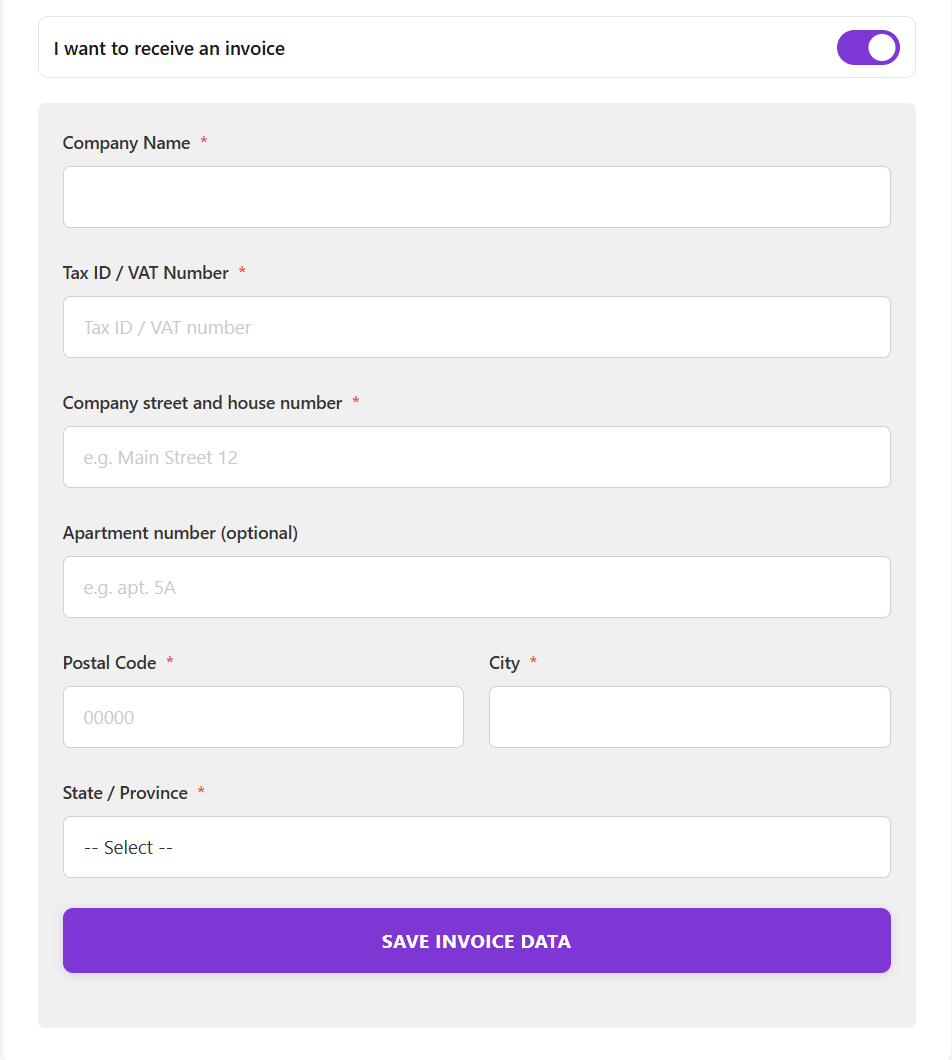
One switch opens the invoice details: company name, Tax ID or VAT number and a separate invoice address.

  • EU VAT numbers are checked against VIES as the customer enters them.
  • The invoice data appears in a card on the order page in the back office.
Prime OPC invoice form with company name, Tax ID or VAT number and invoice address fields
04

Fields that fit each country

The address form adapts to the delivery country instead of showing one generic form:

  • Italy: separate street and house number fields and an optional Codice Fiscale, with a format check.
  • Spain: DNI, NIE or CIF with validation.
  • Phone numbers and postal codes are validated before the order is placed.
05

Made for phones

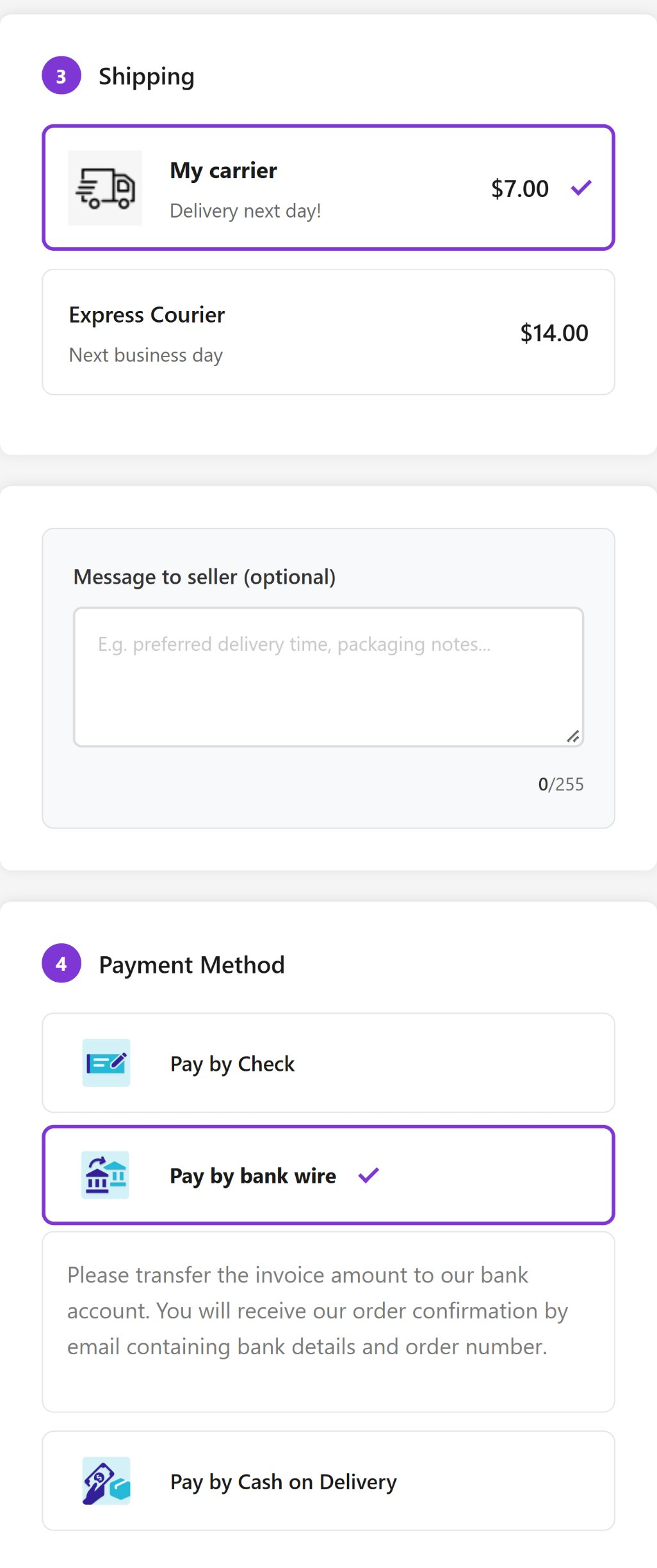
On a phone the checkout is one scrolling page with large tap targets. The total is shown right next to the Order and pay button, so the customer always knows what they will pay.

Prime OPC on a phone: shipping options, message to the seller and payment methods in one scrolling page
06

Simple settings

Everything is on one configuration page:

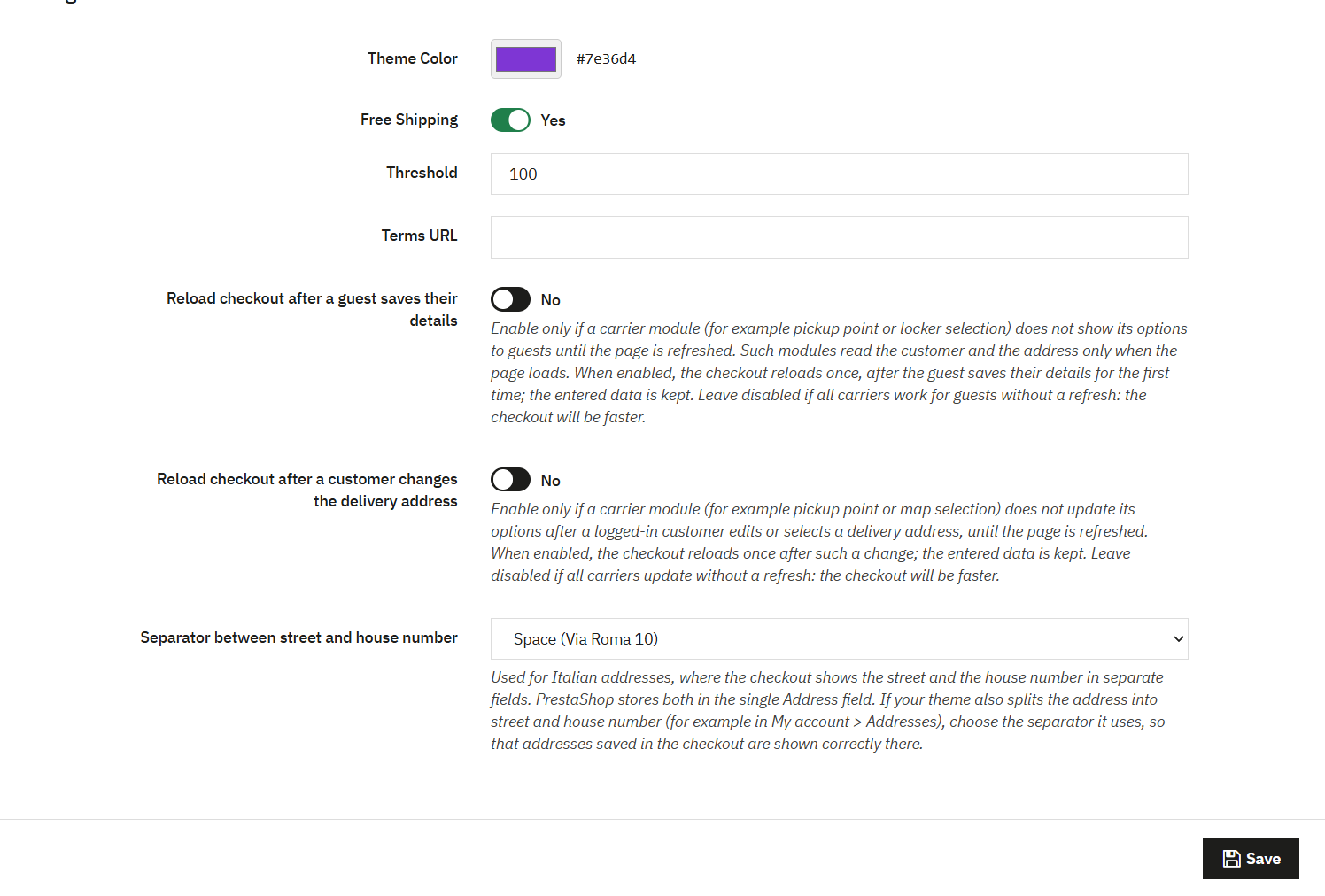
  • Theme colour, to match your shop.
  • Free shipping on or off and the threshold. The checkout shows how much is missing for free delivery.
  • Link to your terms and conditions.
  • Optional reloads for carrier modules that need them.
Prime OPC configuration page in the PrestaShop back office: theme colour, free shipping threshold, terms URL, reload options and street separator

Your brand colour, in every language

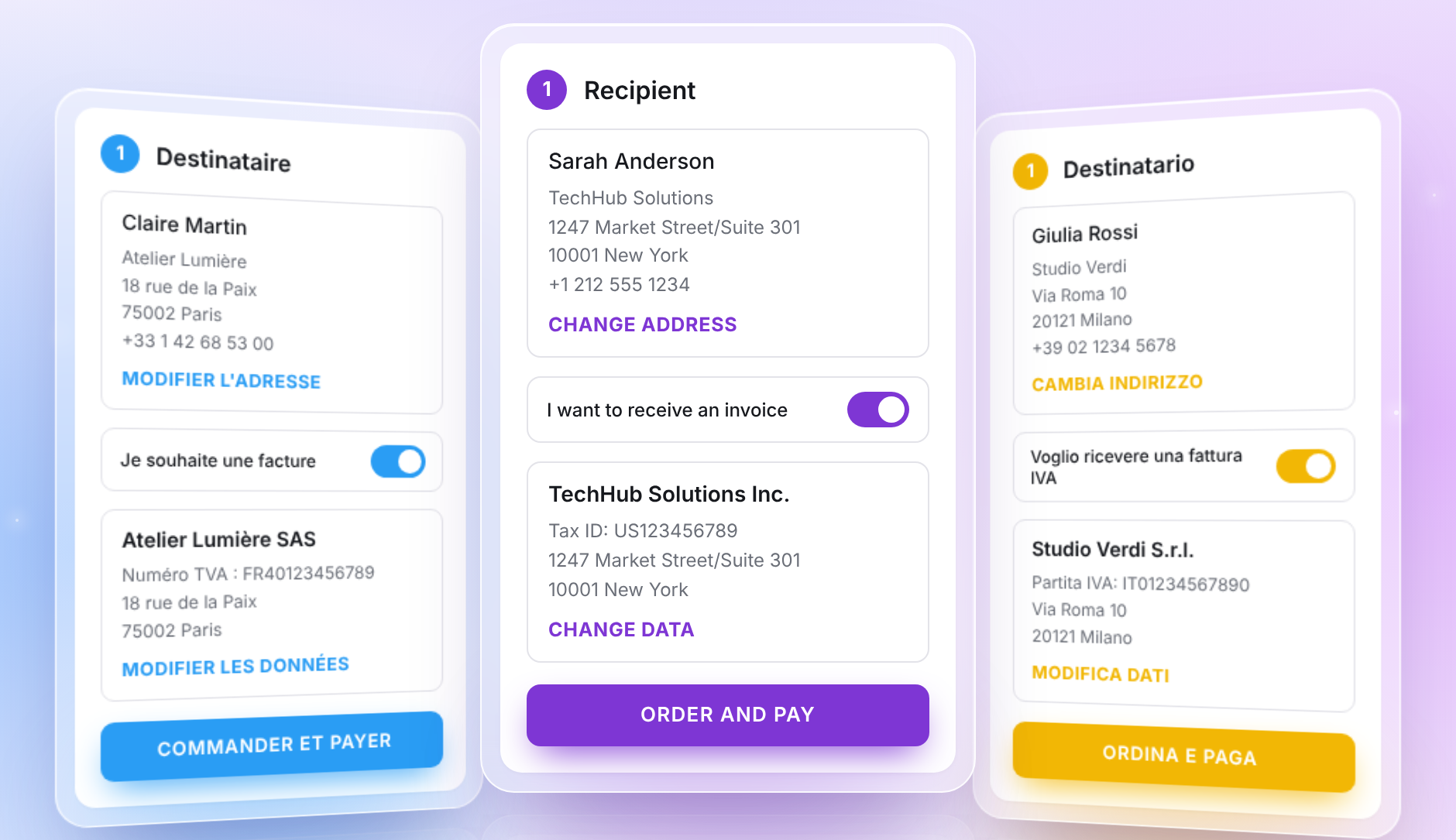
One HEX code in the settings styles every button, selection and link in the checkout, so it looks like the rest of your shop. The checkout is translated into English, French, Italian, Spanish, Polish and Czech.

Three Prime OPC checkouts in blue, purple and yellow, in French, English and Italian: recipient, invoice switch, company details and the order button

Compatibility

PrestaShop1.7.8 to 9.2
ThemesClassic and Hummingbird
Module version1.3.5 (October 2026)
Payment modulesUses the payment modules installed in your store. Compatibility handling for PayPal, PrestaShop Checkout and PayPlug.
CarriersStandard carriers and carrier modules with their own widgets, including pickup points (tested with BRT FermoPoint).
Customer accountsGuest checkout by default; account creation on request; login from the checkout.
InstallationStandard module installation from the back office. No changes to PrestaShop core files.
“A really nice module, both in design and in functionality! The custom free-shipping threshold is great, but above all the automatic update when the shipping address changes during checkout. The developer is very kind and open to any customisation or change!”
Domenico S.Verified review of Prime OPC on PrestaShop Addons · translated from ItalianRead the original review on PrestaShop Addons

Frequently asked questions

Does Prime OPC replace my payment modules?

No. Prime OPC shows the payment modules already installed in your store and lets them handle the payment. It includes compatibility handling for PayPal, PrestaShop Checkout and PayPlug.

Will my carrier and pickup-point modules still work?

Yes. Carrier modules keep their own widgets inside the delivery step. Some pickup-point modules only read the customer and address when the page loads; for those, two settings reload the checkout once after a guest saves their details or after a customer changes the address. Leave them off if every carrier updates without a refresh.

Do customers have to create an account?

No. Ordering as a guest is the default. An account is created only when the customer chooses “I want to create an account” and sets a password.

Can business customers get an invoice?

Yes. The customer turns on “I want to receive an invoice” and enters the company name, Tax ID and invoice address. EU VAT numbers are checked against VIES as the customer enters them.

PrestaShop 9.2 has its own one page checkout. Do I still need Prime OPC?

It depends on your shop. The native one page checkout needs PrestaShop 9.2 or later, works out of the box with Hummingbird-based themes and was released as a beta. Prime OPC runs on PrestaShop 1.7.8 to 9.2, with Classic and Hummingbird themes, and adds invoice details with a VIES check, address fields per country and reload settings for carrier modules. See our comparison of PrestaShop one page checkouts.

Which PrestaShop versions are supported?

PrestaShop 1.7.8 to 9.2, as listed on PrestaShop Addons. The current version of the module is 1.3.5.

Can I see it before buying?

Yes. The Prime OPC demo shop runs the current version. Add a product to the cart and go to checkout.

See Prime OPC on a real checkout.

Need a change to the checkout that no module covers? See our custom PrestaShop development.