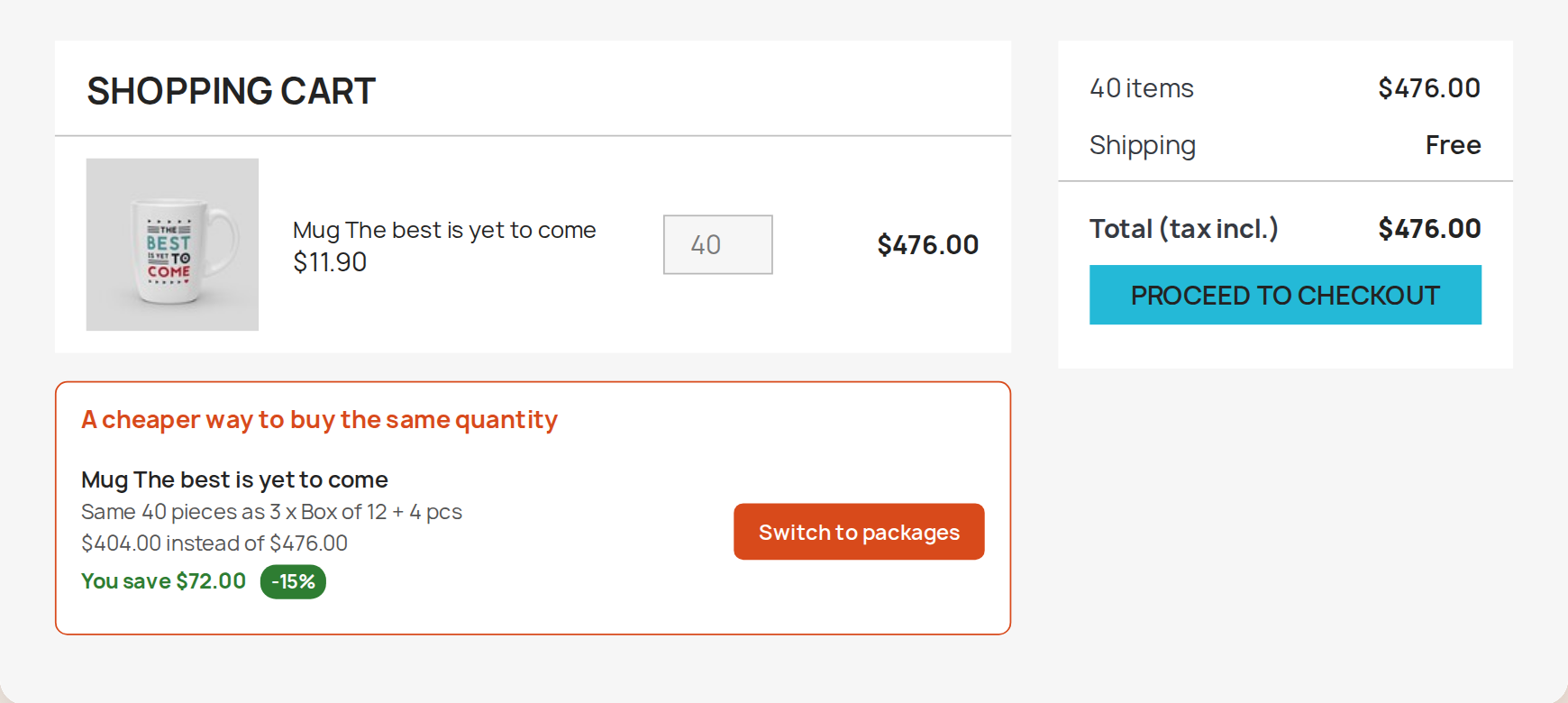
A cart that suggests the cheaper mix
When a customer adds loose pieces and the same quantity costs less as packages, the cart says so and swaps them in one click. The saving has to reach a minimum you set before the suggestion appears.
Pack Selector is a PrestaShop module for versions 1.7.8 to 9.2 that shows every package of a product on its product page, with the price per piece and the saving, so a customer can buy a box or a pallet as easily as a single piece.
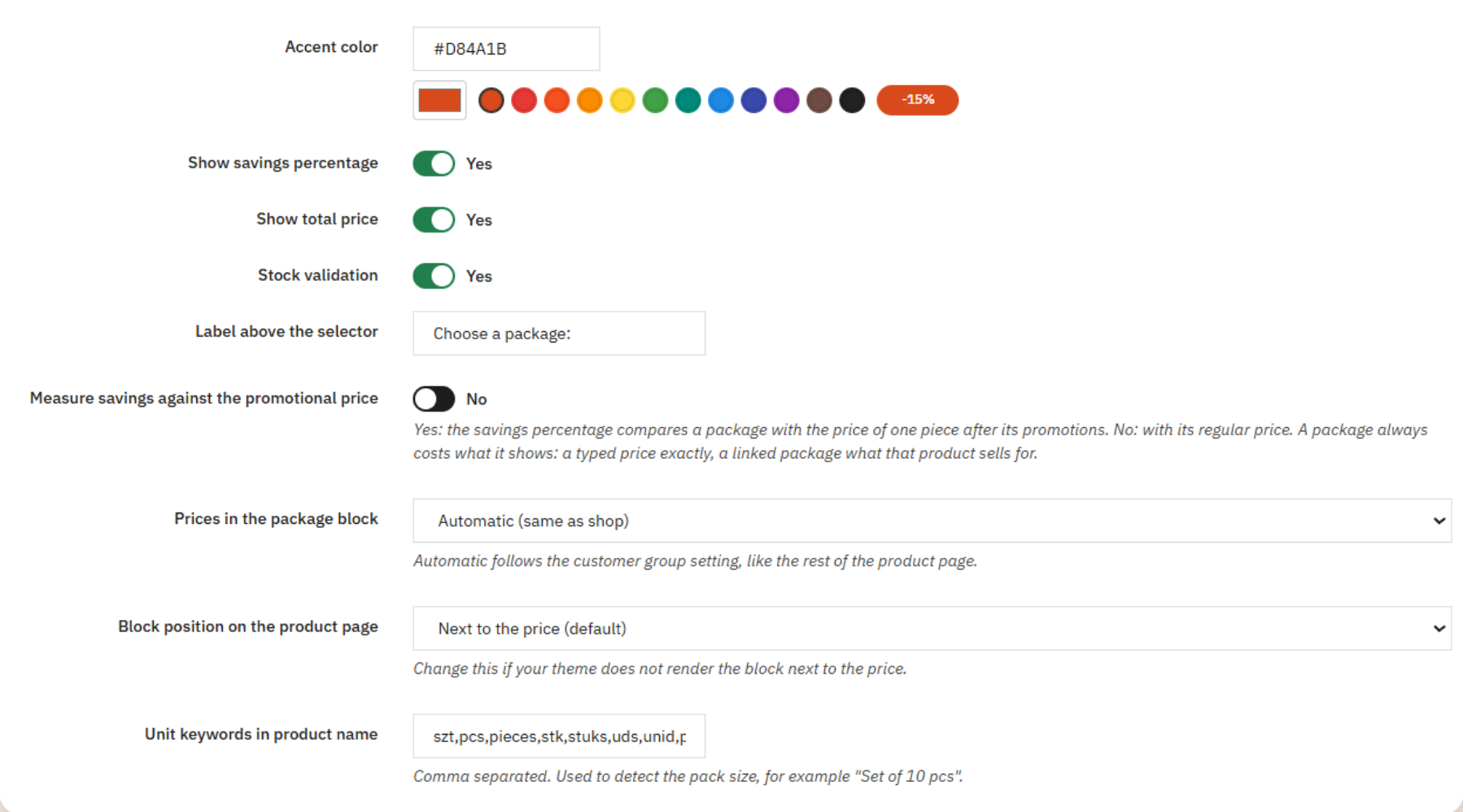
Choose a package:
Pick a pack, or buy single pieces with the Add to cart button.
Total price for the package:$65.40
This page shows the block only. To put the package in a real cart, open the Pack Selector demo shop.
Shops that sell the same item by the piece, the box and the pallet usually end up with three products in the catalogue, or with a quantity discount table that customers have to read and multiply themselves. A customer who types 3 meaning three boxes gets three pieces.
Pack Selector puts every package on the product page of the single item. Each row shows the price per piece and the saving, the customer sets how many packages they want, and the total updates as they go.
It works as volume discounts, or tiered pricing, that customers can actually use, and as a cart upsell: when loose pieces in the cart cost more than the same quantity in packages, the cart offers the switch. Both raise the average order value by making the larger quantity the better deal.
When a customer adds loose pieces and the same quantity costs less as packages, the cart says so and swaps them in one click. The saving has to reach a minimum you set before the suggestion appears.
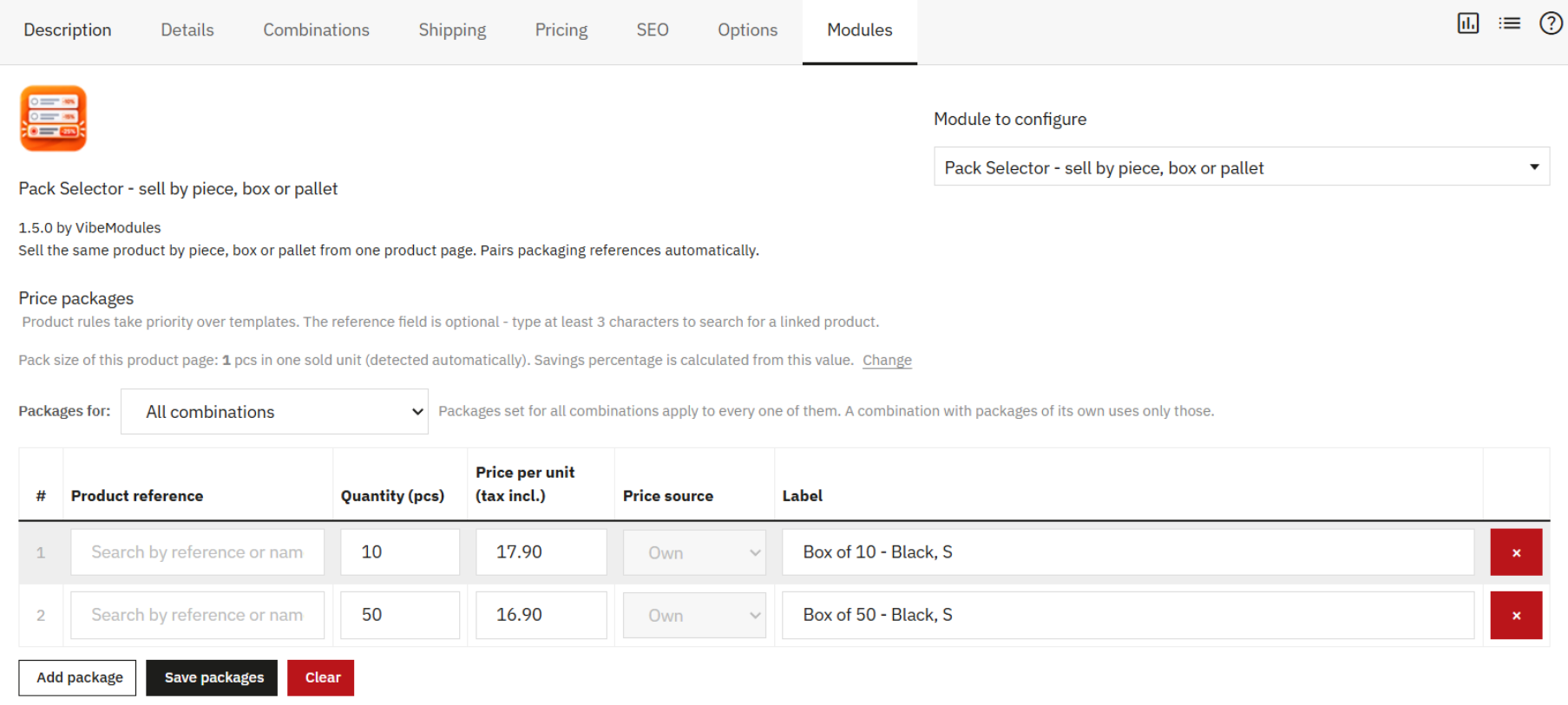
Every product gets a Pack Selector panel in its Modules tab. For each package you set the size, the price per piece and the label, or link an existing box product and use its price and stock.
Packages can apply to all combinations or to one combination only.
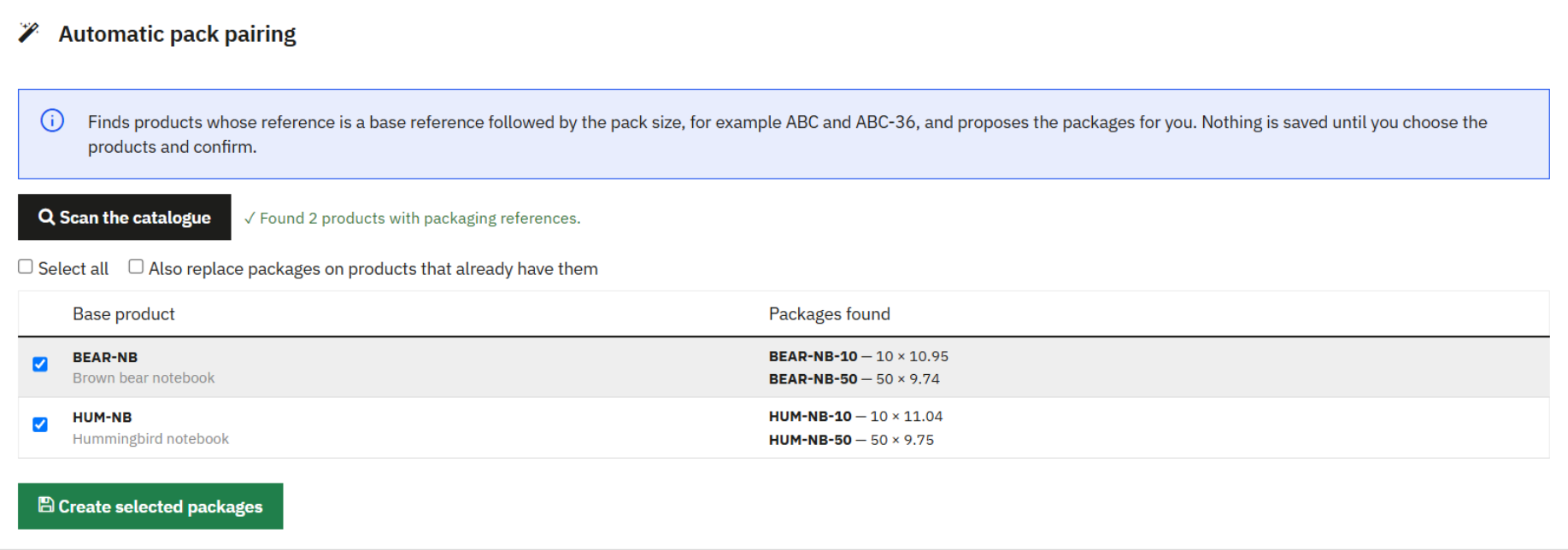
If your box products already exist with references such as ABC and ABC-36, one scan of the catalogue finds the pairs and proposes the packages. Nothing is saved until you choose the products and confirm.
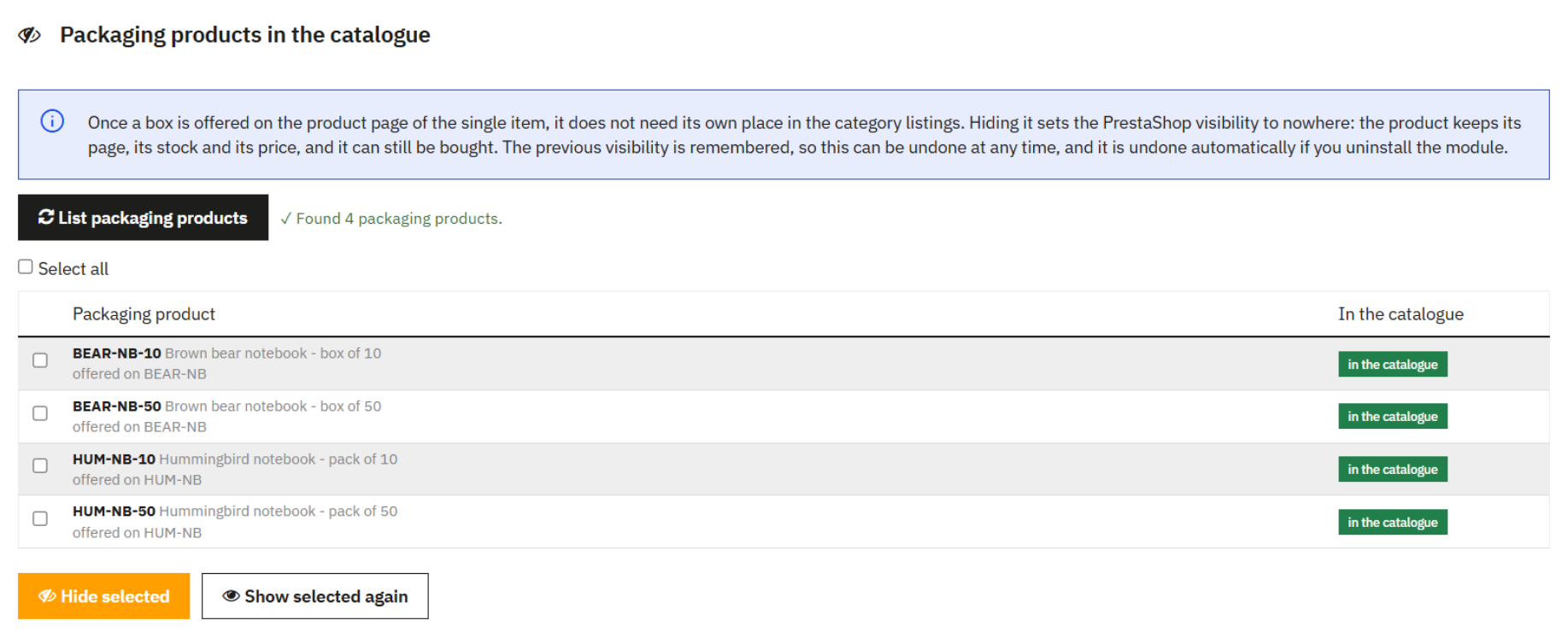
Once a box is sold from the single item’s page, it does not need its own place in the category listings. Hiding sets its PrestaShop visibility to nowhere: it keeps its page, stock and price and can still be bought. The previous visibility is remembered, so this can be undone at any time.
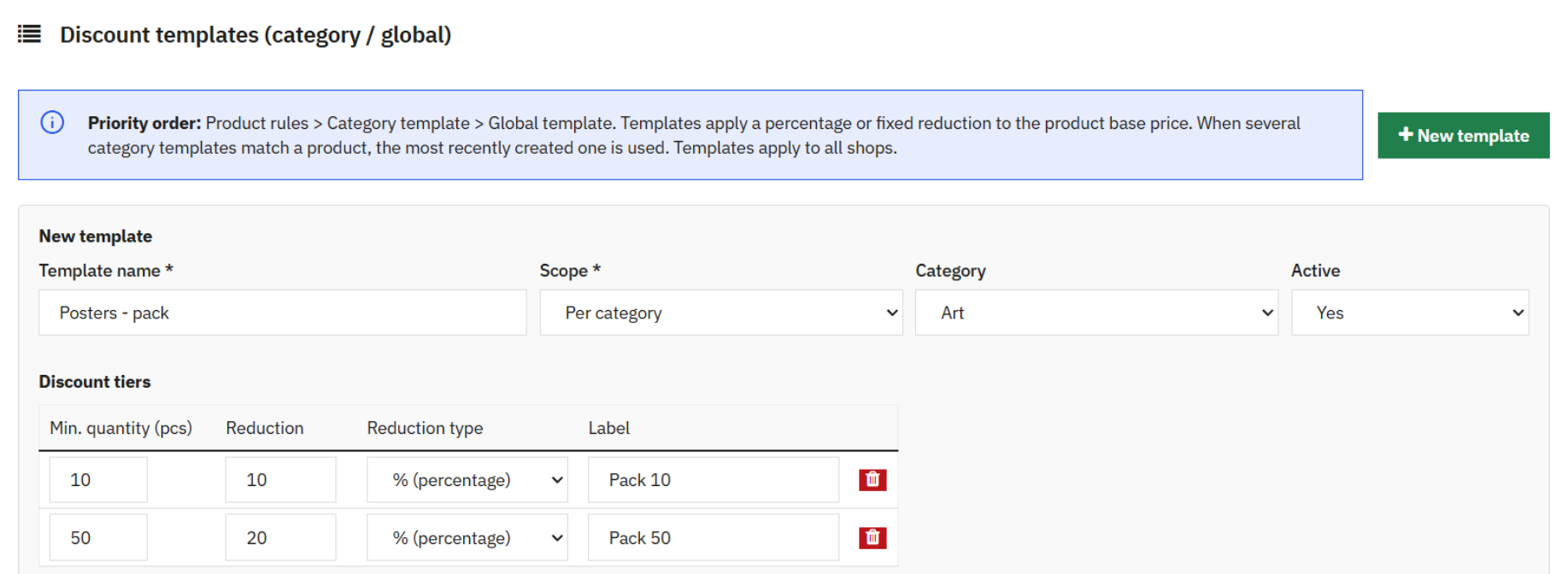
Templates apply tiers to a category or the whole shop with a percentage or fixed reduction. Product rules come first, then category templates, then the global template. Rules can also be exported to CSV, edited in a spreadsheet and imported back.
| PrestaShop | 1.7.8 to 9.2 |
|---|---|
| Module version | 1.5.1 (October 2026) |
| Themes | Classic and Hummingbird; the block measures the space the theme gives it, including the quick view. |
| Multistore | Yes. Product rules per shop; templates apply to all shops. |
| Languages | English, Polish, Czech, Spanish, French, Italian. Package labels are stored per language. |
| Installation | Standard module installation from the back office. No changes to PrestaShop core files. |
Yes. Your theme’s quantity field and Add to cart button stay as they are, and Pack Selector adds its block next to them. If one of your packages is the single item, a setting can hide the theme’s button on products that show packages, so every purchase goes through the block.
It covers the same need in a clearer way. Instead of a table of “from X units” discounts, the customer picks a package, sees the price per piece and the saving, and adds whole packages to the cart. Packages can also be set for a whole category or the whole shop with percentage or fixed reductions.
Yes. That is what it was built for: products sold by the box, carton or pallet, where customers think in packages rather than pieces. Prices follow your shop’s tax display for each customer group.
Yes. A package can be linked to an existing product, such as ABC-36 for a box of 36 of ABC, and then sells at that product’s price with its stock. Or you type a price per piece and the package is sold from the single item’s stock.
Packages can apply to every combination of a product or be set per combination. A linked box follows the variant, so a black S shirt is sold as a box of black S shirts.
PrestaShop 1.7.8 to 9.2, with the Classic and Hummingbird themes and multistore. The module is translated into English, Polish, Czech, Spanish, French and Italian.
Need pricing rules this module does not cover? See our custom PrestaShop development.